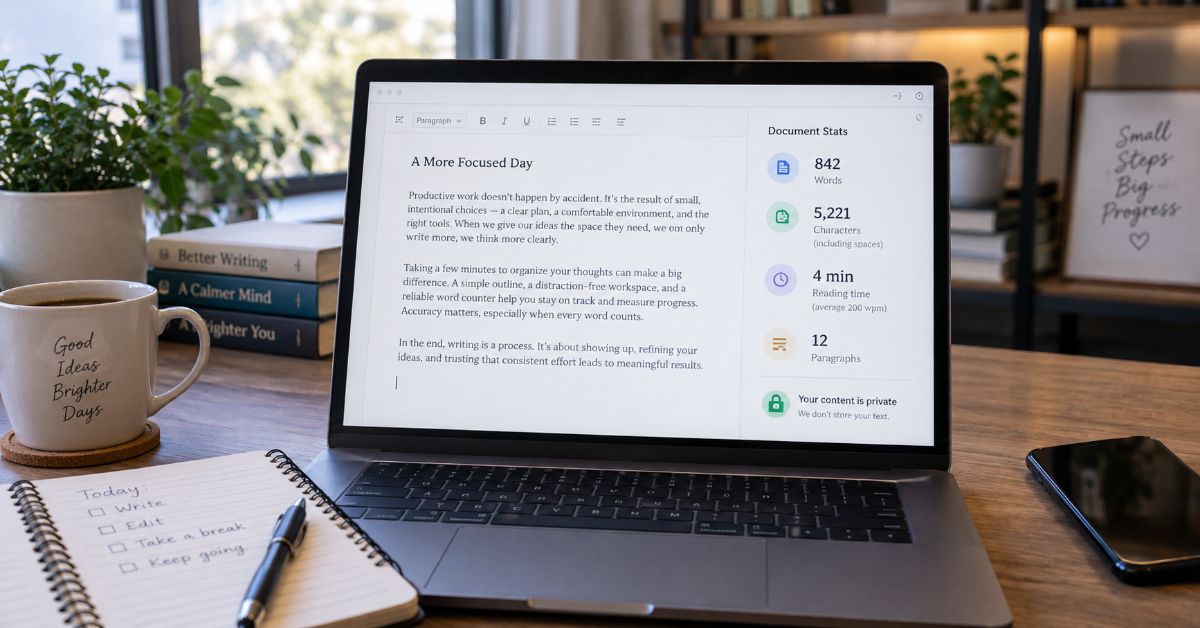
A Word Counter should answer a simple question instantly, but the number is not always as universal as it looks. I found that the real risk is not getting a count, it is trusting the wrong count when a school, client, publication, application form, or writing app uses different rules.
That matters because modern counters do much more than display one total. Current high-ranking tools commonly show characters with and without spaces, sentences, paragraphs, reading time, speaking time, keyword frequency, readability, writing goals, and sometimes grammar or rewriting assistance. The convenience is real, but the extra metrics can create false confidence if the underlying counting method is not clear.
The practical answer is simple: use a fast online counter while drafting, then verify the final text in the system that will judge the limit. Google Docs, for example, says its document-wide count excludes headers, footers, and footnotes, while Microsoft Word exposes word, page, paragraph, line, and character statistics and can treat some web-only document areas differently. Unicode adds another layer because software has to decide where a word or even a user-perceived character begins and ends across different scripts.
I also would not use article length as an SEO target by itself. Google explicitly says it has no preferred word count. For search performance, a useful page has to satisfy the query better than competing pages. On this particular keyword, that means an interactive counter should appear above the explanatory article. The guide below is the supporting layer that explains accuracy, privacy, edge cases, and tool choice in a way the current search results often do not.
What Does a Word Counter Actually Measure?
A counter turns text into measurable units. Words are the headline metric, while characters, structural counts, and time estimates help with forms, editing, and scripts.
A ‘word’ is not a universal computer primitive. Software needs a segmentation rule, and language-aware tools may use Unicode or locale-specific boundaries. Unicode 17 notes that no single default resolves every language or ambiguous case (Hadley, 2025).
The core metrics and what they are good for
I use each metric for a different decision rather than treating the dashboard as one quality score.
| Metric | What it measures | Best use | Main caveat |
| Words | Counted word units | Essays, articles, applications, manuscripts | Rules vary by punctuation, fields, and language |
| Characters | Letters, numbers, punctuation, spaces, and symbols | Forms, social posts, metadata, database fields | Some systems enforce code units or bytes |
| Characters without spaces | Characters after whitespace is excluded | Specific academic or translation rules | Not the default limit for many platforms |
| Sentences and paragraphs | Structural units detected from punctuation and breaks | Readability and editing | Abbreviations and unusual formatting can confuse simple detectors |
| Reading time | Word total divided by an assumed reading speed | Articles, newsletters, scripts | The assumed speed varies by text and reader |
| Keyword frequency | Repeated terms and their share of text | Editing repetition and topical coverage | Density is not a standalone ranking target |
Why Do Word Counters Give Different Results?
Two counters can both work correctly and still disagree because of tokenization rules, document scope, or character encoding.
The decision rule is more useful than arguing over which tool is universally ‘right’: make the destination system authoritative. A university portal, Microsoft Word workflow, or CMS field wins when that system enforces the limit.
Common edge cases that change the total
The table below shows why an apparently simple piece of text can be interpreted in more than one valid way.
| Text or document feature | Why tools may disagree | Safer decision |
| state-of-the-art | A hyphenated compound can be kept together or segmented around hyphens | Use the destination app as the final count |
| don’t / O’Reilly | Apostrophes can be internal or boundaries | Check a short sample in the required system |
| 3.14, $100, 50kg | Numbers and attached symbols may be tokenized differently | Verify number-heavy text in the destination |
| URLs and email addresses | Some counters treat them as one token, others split punctuation | Verify if the text contains many links or addresses |
| Emoji and combined characters | One visible symbol can contain multiple Unicode code points | Use a counter that distinguishes visible characters from code units when limits are strict |
| Chinese, Japanese, Thai, Khmer | Spaces are not a complete guide to word boundaries | Prefer language-aware segmentation |
| Headers, footers, footnotes, text boxes | Document apps may include or exclude non-body regions | Count in the exact file format and app used for submission |
Microsoft Word and Google Docs are not identical authorities
Google’s help documentation says a document-wide Google Docs count excludes headers, footers, and footnotes unless you select a specific section. Google Docs Editors Help documents those exclusions. Microsoft says Word counts as you type and exposes pages, paragraphs, lines, and characters from the status bar; Microsoft Support also notes that Word for the web can be approximate when some content sits outside the main body (Google, 2026; Microsoft, 2026).
I would not try to make every tool agree perfectly. I would identify what is counted, what is excluded, and which system can accept or reject the final text.
Which Counting Tool Should You Use?
The best tool depends on the job. A student facing a hard submission limit has different needs from an SEO writer or someone handling confidential material.
Current leaders compete on different strengths: Grammarly and QuillBot integrate counting into larger writing suites; WordCount.com emphasizes local browser processing and goals; WordCountTool.com adds readability; WordCounter.io and WordCounter.net add writing statistics; W3Schools keeps the interface simple.
Fast comparison by use case
I would choose from this shortlist by workflow rather than by brand familiarity alone.
| Tool or workflow | Strongest use | What to verify before relying on it |
| Microsoft Word | Final count for Word-based submissions and professional documents | Whether text boxes, footnotes, endnotes, or other document regions are included |
| Google Docs | Live drafting and collaborative documents | Its document-wide exclusions and whether the destination uses the same rules |
| WordCount.com | Quick browser-based counting with privacy-oriented local processing and goals | Whether your text needs features outside the browser counter |
| WordCountTool.com | Live counts plus readability and text utilities | Whether readability formulas are relevant to the task |
| Grammarly | Counting while proofreading and revising | Whether you need a simple counter or a broader writing assistant |
| QuillBot | Counting inside an AI-assisted writing workflow | Whether the extra writing tools are appropriate for your assignment or policy |
| W3Schools Word Counter | Simple live counts and time checks | Lightweight tool, not a submission authority |
How I Choose the Right Count for Essays, SEO, Scripts, and Forms
Choose the source of truth before trimming. That prevents a draft from being exactly on target in one tab and over the limit in the system that matters.
For essays and applications
Draft with a live counter, then finish in the required editor or submission environment. For a hard maximum, leave a small margin for titles, citations, or formatting changes.
The same discipline helps with prepared interview responses. If you are writing concise practice answers, Rubble Magazine’s guide to interview questions and concise answer frameworks is a useful companion because it emphasizes evidence and brevity instead of memorized scripts.
For SEO articles and web publishing
A counter is useful for scope, not for chasing an imagined ranking threshold. Google’s current people-first guidance asks whether a page provides original information, substantial coverage, and a satisfying answer, and explicitly rejects the idea that Google has a preferred word count (Google, 2025).
I use length to spot structural problems. Thin sections may need evidence, while a shorter page that fully resolves a narrow query may already be enough. Keyword frequency can flag repetition, but density does not replace natural language, internal links, or original analysis.
That is also why digital publications benefit from a tool layer and an editorial layer working together. Rubble Magazine’s reporting on Bumpdots.com as a digital publication and its SoSoActive history and content guide show how broad online publishers now operate across technology, education, business, and practical guides. A useful utility can strengthen that editorial ecosystem when it solves a real task first.
For scripts and reading-time estimates
Reading-time labels are estimates. Marc Brysbaert’s meta-analysis of 190 studies and 18,573 participants estimated English silent reading at 238 words per minute for non-fiction and oral reading at 183 words per minute (Brysbaert, 2019).
Treat a script timer as a planning aid, then rehearse. Pauses, names, numbers, and audience interaction can slow delivery.
For forms, captions, and strict character fields
Use the character metric the receiving platform enforces. Visible characters, Unicode code points, UTF-16 code units, and bytes can differ, especially with emoji and non-Latin text.
Can You Safely Paste Sensitive Text Into an Online Counter?
Privacy should be explainable, not just a badge. Some current counters state that counting happens locally in the browser, which is preferable for personal, legal, financial, unpublished, or client-confidential text.
For the most sensitive documents, I still prefer the built-in counter in the editor holding the original file. It removes the need to copy confidential text into another service at all. If you are working with agreements or other legally sensitive documents, Rubble Magazine’s contract lawyer guide is a reminder that the content inside a document can be more sensitive than its word total. Count locally whenever confidentiality is part of the job.
A simple privacy check before pasting
- Look for a clear statement that counting happens locally in your browser or on your device.
- Check whether the page also offers grammar, AI, rewriting, account sync, or cloud storage, because those features may use different data flows.
- Avoid pasting passwords, recovery codes, private keys, identity documents, unpublished legal advice, or regulated personal data into a general web tool.
- When confidentiality matters more than convenience, count inside Microsoft Word, Google Docs, your code editor, or another trusted local application.
The Hidden SEO Mistake: Treating Word Count as a Ranking Factor
The keyword creates an SEO trap: turning a visible number into a ranking target. Google says content length alone does not matter for ranking and rejects writing to a count because creators believe Google prefers one (Google, 2025).
For this page, the stronger strategy is intent match. The SERP is dominated by interactive utilities, so I would place a fast, privacy-conscious counter above the fold and the explanatory article below it.
The article earns its place by solving second-order questions about disagreements, authority, Unicode, privacy, and reading time instead of repeating the same generic definition.
What the Current Top Results Commonly Miss
I reviewed ten prominent current organic results and tool pages. The recurring pattern was instant counting, a short definition, use cases, feature lists, privacy language, and FAQs.
The opportunity is to make the page more decision-useful, not simply longer.
Five information gains worth keeping
- Make the destination platform the final source of truth for strict limits.
- Explain the exact reasons counters disagree instead of simply calling one more accurate.
- Separate visible characters, code points, code units, and bytes when Unicode or emoji matters.
- Treat browser privacy as an implementation question, especially when AI or cloud features sit beside the counter.
- Use word totals for planning, editing, and workflow control, not as a Google ranking target.
The Future of Word Counters in 2027
By 2027, I expect the basic count to be a commodity while segmentation, privacy, and workflow context become the differentiators. Current suites already combine counting with AI assistance, privacy-first tools emphasize local processing, and Unicode documents why one universal boundary rule is insufficient.
Likely additions include language-aware boundaries, visible-character versus code-unit metrics, destination-specific limits, adjustable reading speeds, AI token counts, and clearer local-versus-cloud privacy labels.
I would not predict one global ‘correct’ algorithm. Different products will keep defining counts around their own workflows, so the strongest tools will explain their rules and help users match the destination.
Key Takeaways
- Choose the destination app or submission form as the final authority when a limit is strict.
- Expect edge cases around hyphens, apostrophes, URLs, numbers, document fields, emoji, and languages without simple space-delimited words.
- Use built-in counters or clearly local browser processing for confidential drafts.
- Base reading-time estimates on a stated speed and rehearse scripts instead of treating the estimate as exact.
- Do not use a target length as a Google ranking shortcut. Build the depth the query needs and stop when the answer is complete.
- For the head keyword, pair the explanatory article with a fast live counter above the fold to match transactional search intent.
Conclusion
A good counter is not just the one that returns a number fastest. It is the one whose rules fit the decision you are about to make. I would use an online tool while drafting, but for a hard academic, editorial, legal, or platform limit, I would always verify the final version where it will actually be submitted.
That approach also makes the surrounding metrics more useful. Character totals help with strict fields. Sentence and paragraph counts can expose structure. Reading time gives a planning estimate when the assumed speed is stated. Privacy claims matter when drafts are sensitive. None of those measurements, however, should be mistaken for writing quality by themselves.
For publishers targeting this search query, usefulness has another layer. The page should provide the tool immediately, then answer the difficult questions that a bare utility cannot. That combination gives readers a reason to stay, gives search engines more complete context, and avoids the weakest strategy in this category: producing a long article that still makes the visitor search again for the actual counter.
Frequently Asked Questions
What is the most accurate word counter?
The most accurate counter is the one matching the system judging your limit. Verify Word submissions in Microsoft Word, Docs workflows in Google Docs, and web forms in the form itself.
Why is my word count different in Word and Google Docs?
The apps can include or exclude different document regions and tokenize edge cases differently. Google Docs excludes headers, footers, and footnotes from its document-wide count, while Word uses its own document-statistics logic.
Does a word counter include punctuation?
Punctuation usually contributes to character counts but does not necessarily create a new word. Rules vary around apostrophes, hyphens, numbers, URLs, and symbols.
Can a word count checker handle Chinese, Japanese, or Thai?
Yes, but simple space-splitting is not enough for every language. Unicode notes that some scripts need tailored segmentation, so use a language-aware tool when exact totals matter.
Is word count important for SEO?
It is useful for planning and editing, but Google says there is no preferred count for ranking. Relevance, usefulness, quality, and other signals matter more than raw length.
How do I estimate reading time from a word total?
Divide total words by an assumed reading speed. Brysbaert’s meta-analysis estimated English non-fiction silent reading at 238 words per minute, but difficulty and individual speed still vary.
Methodology
I researched this guide on September 8, 2026 and reviewed ten prominent current organic results and tool pages: WordCounter.net, QuillBot, Grammarly, WordCounter.io, WordCountTool.com, WordCount.com, WordCount.Online, W3Schools, CountWordsFree, and wordcounter.ai. Rankings vary by country, device, personalization, and time.
I used the review to identify gaps, not copy wording or structure. Validation came from current Google Docs and Microsoft Word support, Unicode Standard Annex #29, Marc Brysbaert’s peer-reviewed reading-rate meta-analysis, and Google Search Central.
I also verified four live Rubble Magazine links that fit without forcing relevance: interview preparation, two digital-publication guides, and the contract-lawyer guide. More writing, SEO, productivity, and document-tool coverage should create stronger future internal links.
I did not run controlled input tests inside every competitor editor, so I do not claim one browser tool is universally more accurate. Interfaces, privacy practices, and destination rules can change.
AI assistance was used for research organization, drafting, and document production. A human editor must verify statistics, named claims, references, links, and first-person statements before publishing.
References
Brysbaert, M. (2019). How many words do we read per minute? A review and meta-analysis of reading rate. Journal of Memory and Language, 109, 104047. doi:10.1016/j.jml.2019.104047
Google. (2026). Count the words in a document. Google Docs Editors Help. Retrieved September 8, 2026.
Google Search Central. (2025). Creating helpful, reliable, people-first content. Google for Developers. Retrieved September 8, 2026.
Hadley, J. (Ed.). (2025, August 17). Unicode Standard Annex #29: Unicode Text Segmentation, Revision 47, Unicode 17.0.0. Unicode Consortium.
Microsoft. (2026). Show word count. Microsoft Support. Retrieved September 8, 2026.