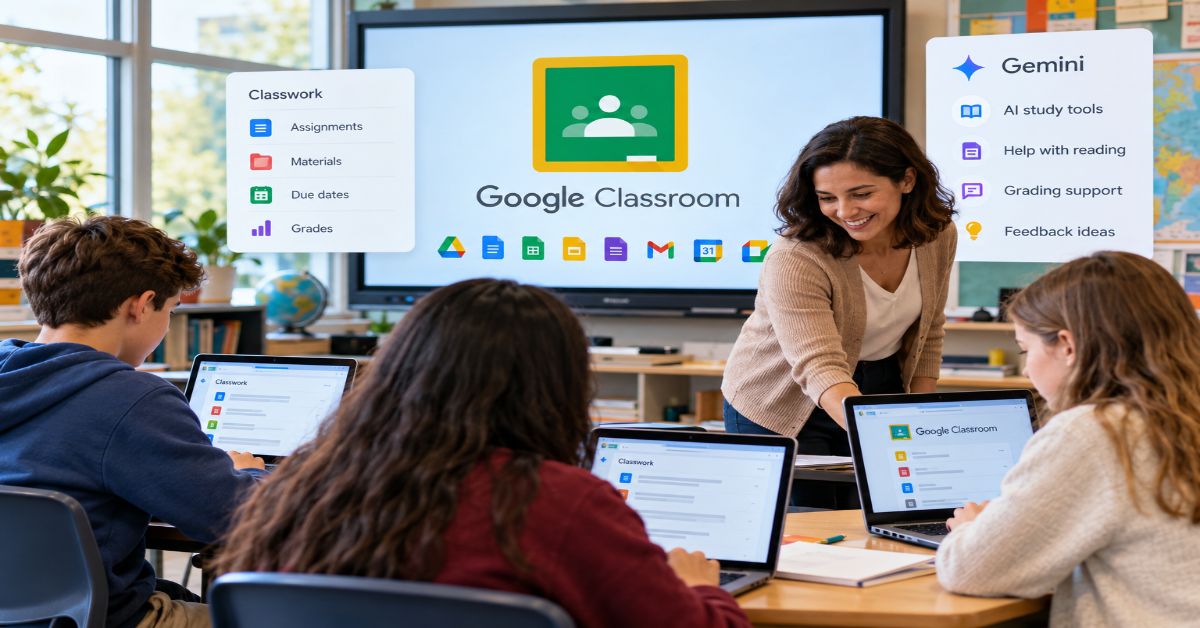
Google Classroom is a web and mobile learning workflow for creating, distributing, collecting and grading classwork, but its sharpest 2026 change is the addition of a much deeper AI layer. Google’s current Classroom overview now lists Gemini-powered study tools, Read Along support, grading, guardian summaries and class management beside the familiar assignment workflow.
That makes the old “paperless homework” description incomplete. The product still looks simple to a student, yet it now sits across four layers at once: course organization, Google Workspace collaboration, institutional administration and generative AI. A teacher may only see Classwork and Grades, while an administrator is deciding access, add-ons, data controls and which AI services students can use.
This guide focuses on that gap. It explains what the platform actually connects, how the teacher and student workflows differ, what the current editions cost, which Gemini capabilities matter, and where the product remains lighter than a full learning management system. The goal is not to produce another button-by-button tutorial. It is to help a teacher, student or school understand the operating model behind the interface.
The workflow also exposes a human limit: due dates and reminders only help if students act on them. Rubble Magazine’s guide to stopping procrastination is useful context for the gap between seeing a task and starting it.
How Google Classroom Works
The platform is best understood as an orchestration layer. A teacher creates a class, organizes Classwork, attaches files or links, assigns work, reviews submissions, grades them and returns feedback. Docs, Sheets, Slides, Forms, Drive, Calendar, Gmail and Meet can supply the content, storage, scheduling and communication behind that visible flow.
The roles matter because each person experiences a different product:
| Role | Core jobs | Common misunderstanding |
| Teacher | Create classes and assignments, organize materials, grade, use rubrics, give feedback and post announcements. | Some analytics, AI feedback and management features depend on licensing or admin settings. |
| Student | See classwork, submit files, check grades and feedback, follow deadlines and use enabled study tools. | Two schools can expose different AI or communication options inside the same interface. |
| Guardian | Receive email summaries about upcoming or missing work when enabled. | Guardians do not enter the class as students do; the experience is mainly summary-based. |
| Administrator | Manage users, permissions, provisioning, security and selected analytics. | The simple classroom interface sits on top of a larger Workspace administration layer. |
Teachers can learn the interface quickly while districts still face identity, permissions, storage and policy decisions.
The Teacher Workflow: Build the Smallest Useful Class
A practical setup starts small. Build one class, choose a durable way to organize Classwork, set the grading approach if grades will be used, and publish one representative assignment. That exposes the full cycle before the course becomes crowded.
- Create or accept the class, then invite students or use school provisioning where available.
- Organize Classwork with a small number of stable topics instead of creating a new topic for every minor activity.
- Create an assignment with clear instructions, a due date, points or rubric when appropriate, and only the files students need.
- Choose whether students view a file, edit a shared file or receive their own copy.
- Review submission status, grade with comments or rubrics, and return the work so feedback is visible.
Google also supports comment banks and recorded feedback. For writing-heavy courses, a separate assistant may help with revision, but it should not be confused with factual or instructional judgment; Rubble Magazine’s Grammarly review makes that distinction clear.
A frequent design mistake is letting the Stream become the course map. Announcements, reminders and conversation can push required work out of view. A cleaner pattern is to reserve Stream for communication and make Classwork the stable source of truth for what students must do.
The Student Workflow: Reduce Every Class to the Next Action
Students need reliable answers to three questions: What is due? What must be submitted? What feedback came back? The useful habit is to treat Classwork as a queue rather than a storage shelf: open the next due item, read the instructions before opening attachments, complete the work in the required file and confirm the submission state after turning it in.
A finished document can still be missing if it was never formally submitted, so students should confirm status after every upload.
Coursework can later become evidence of communication, analysis or teamwork. Rubble Magazine’s first internship interview guide shows how students can translate class projects into credible examples without pretending they were paid work.
Pricing and Editions: The “Free” Label Needs Context
Education Fundamentals is available at no cost for qualifying institutions, while paid products add more capability. Google’s current edition comparison lists Education Plus as the paid full-domain edition, with separate add-ons available for selected users.
As of September 2026, Google lists Education Plus at $6 USD per user per year. The Teaching and Learning add-on is listed at $6 per license per month or $60 annually. Google AI Pro for Education is a separate premium AI add-on. Regional terms, reseller agreements and future pricing can differ, so schools should verify the quote attached to their own domain.
| Option | Published price snapshot | Best fit | Main distinction |
| Education Fundamentals | No cost for qualifying institutions | Core teaching and Workspace collaboration | Core Classroom, collaboration, admin tools and no-cost education AI services |
| Education Plus | $6 USD per user/year | Institutions wanting premium security, analytics and teaching tools | Full-domain premium edition with advanced security, analytics and additional AI capabilities |
| Teaching & Learning add-on | $6 USD/license/month or $60 annually | Selected staff who need premium instructional features | Adds enhanced Classroom and Meet capabilities without a full-domain upgrade |
| Google AI Pro for Education | Separate premium add-on | Users needing broader premium Gemini access | Expands premium Gemini models and Workspace AI access |
Even with a free core license, schools still pay for devices, connectivity, administration, training and any premium services.
Gemini Turns AI Governance into a Classroom Setting
The most consequential product change is Gemini in Google Classroom. Google’s Gemini documentation lists tools for lesson plans, hooks, quizzes, vocabulary, rubrics, project ideas, differentiated text and other resources. Some advanced functions, including suggested written-assignment feedback, require premium education licensing.
The student side changed too. In August 2026, Google expanded the Gemini tab to students of all ages where administrators have enabled the required services. Students can use guided learning prompts and class-aware Gemini Notebook experiences, which can turn course materials into study guides, practice and other learning formats.
The benefit is context; the risk is delegation. Google warns that Gemini can make mistakes, so teachers still need to verify generated material and design assignments that reveal independent student understanding.
This is a task-fit problem as much as a model-quality problem. Rubble Magazine’s machine-learning models explainer makes the broader point: capability means little without the right evaluation criteria and operating constraints.
Privacy, Security and Accessibility
Google states that Workspace for Education Core Services contain no ads and that core service data is not used for advertising. That is a precise claim and should remain precise. Schools still decide how accounts are provisioned, which additional services are enabled, how third-party add-ons are governed and what sharing permissions are acceptable.
Accessibility also depends on course content, not just the platform. Classroom supports web and mobile access and Google publishes accessibility guidance, but a teacher can still upload an inaccessible PDF, unlabeled image or poorly structured document. Interface accessibility does not automatically make every attached resource accessible.
Where the Platform Is Strong—and Where a Fuller LMS Goes Further
Its clearest strength is low-friction coordination for schools already using Google identities, Drive and Docs. A teacher can create a file, assign a copy to every student, comment on it and return it without exporting or re-uploading work. That reduction in handoffs can matter more than a long feature list.
The trade-off is depth. Institutions that need complex course sequencing, certification, specialized compliance reporting, commerce or highly customized program structures should compare dedicated learning management systems instead of assuming one lightweight workflow tool should reproduce every LMS function.
| Decision factor | Strong fit when… | Compare a fuller LMS when… |
| Ecosystem | Google identities, Drive and Docs already dominate | Another productivity or identity stack is central |
| Course structure | Assignments, materials, grading and communication are the main needs | Programs require complex sequencing, certification or course shells |
| Teacher setup | Low training friction and fast class creation matter | Central instructional design teams need granular templates and controls |
| Analytics | Assignment and class-level visibility is enough | Leaders need deep cross-program or compliance reporting |
| AI governance | Teacher-led Gemini use fits policy | The institution requires a different or vendor-neutral AI architecture |
For individual learners, the same boundary appears in self-management. Rubble Magazine’s personal development framework is a useful reminder that tools can support practice without replacing it.
Three 2026 Findings Most Guides Miss
1. AI permissions now change the learning experience
Two students can open the same product and see different study capabilities because administrators control access to Gemini services. AI configuration is therefore part of course design, not merely an optional personal preference.
2. Simplicity moves complexity into policy
The interface feels light because identity, sharing, licensing and data controls live elsewhere in Workspace.
3. Workflow fragmentation is the hidden competitor
The real cost is often the number of places a student must check. If assignments, files, feedback, grades and AI help live in disconnected systems, more features can create more cognitive overhead. The better architecture is the one that makes the next required action obvious.
The Future of Google Classroom in 2027
The clearest 2027 direction is tighter connection between class context and AI rather than a sudden reinvention of the product. Google’s 2026 announcements point toward teacher-assigned study notebooks, AI experiences grounded in class materials, class-aware assistance and more visibility into how students use those tools.
That could make differentiation easier: a teacher may be able to assign a study experience based on selected materials, see where students struggle and adjust instruction. The educational value will depend on whether the resulting signals are accurate, understandable and easy to act on.
The uncertainty is governance. School systems differ in age rules, parent communication, acceptable AI use, assessment policy and data controls. Availability also varies by language, device, license and administrator setting. Planning for 2027 should therefore start with what is actually enabled in the school’s domain, not with a feature announced in a conference demo.
Key Takeaways
- Classroom works best as a workflow layer connecting assignments, files, feedback, communication and Workspace services.
- Core access can be no-cost for qualifying institutions, but premium editions and add-ons change security, analytics, teaching and AI depth.
- Gemini makes AI access, verification and assignment design routine governance questions rather than side experiments.
- Students benefit when Classwork is a clear task queue and the Stream is not overloaded with competing activity.
- Privacy claims need precision: Google says Core Services contain no ads and core service data is not used for advertising.
- A fuller LMS can be a better fit for complex sequencing, certification, specialized reporting or extensive customization.
- The strongest adoption test is whether the system reduces fragmentation while preserving evidence of real learning.
Conclusion
Google Classroom in 2026 is more capable than the “digital homework tray” label suggests. Its core remains intentionally simple: create work, distribute it, collect it, grade it and communicate around it. The surrounding system now adds richer grading, institutional controls and a growing Gemini layer for both teachers and students.
That expansion makes evaluation more demanding. Schools must separate included features from paid ones, available features from administrator-enabled ones, and AI-generated productivity from evidence of learning. The platform is especially compelling where Google Workspace is already the daily operating environment. Where a program needs deeper course architecture, specialized reporting or a different governance model, a broader LMS comparison is justified.
The strongest implementation is not the one that turns on every feature. It is the one that creates a clear path from instruction to student action, evidence of understanding and useful feedback.
Frequently Asked Questions
What is Classroom used for?
It organizes teaching and learning workflows. Teachers can post materials and assignments, collect work, grade, give feedback and communicate. Students can track tasks, submit files, review feedback and use enabled study tools. It also connects closely with Drive, Docs, Forms, Calendar and Meet.
Is Classroom free in 2026?
Education Fundamentals is available at no cost for qualifying institutions. Paid editions and add-ons provide more security, analytics, teaching and AI capabilities. Schools should still budget for devices, connectivity, administration, training and any premium licenses.
Can students use Gemini inside Classroom?
Yes, where the administrator has enabled the required Gemini services. Google expanded student access in August 2026. Features can vary by age, language, device, license and school configuration.
Does Classroom replace a full LMS?
Not always. It covers the core workflow for many schools, especially those already using Workspace. Institutions needing complex sequencing, certification, specialized compliance reporting or highly customized course structures should compare dedicated learning management systems.
Can parents access a class?
Guardians do not use the product in the same way students and teachers do. When enabled, they can receive email summaries that may include upcoming or missing work and class activity.
How private is student data?
Google states that Workspace for Education Core Services do not contain ads and that core service data is not used for advertising. Schools still need sound account security, sharing rules, third-party governance and local privacy policies.
What changed most in 2026?
The largest shift is deeper Gemini integration. Teachers can generate and adapt instructional resources, while enabled students can access class-aware study support. That makes AI verification, access policy and assessment design central parts of the operating model.
Methodology
Research was conducted on September 30, 2026. I reviewed ten prominent current pages for the focus query and close intent: Google for Education’s product page; Classroom Help’s About page; Google’s teacher and student getting-started guides; the edition comparison; Google Teacher Center training; Common Sense Education’s current teacher guide; TechRadar’s review; LMS Guide’s 2026 review; and Google Workspace Updates coverage of the 2026 Gemini expansion. Search rankings vary by location, device, personalization and time, so this is a competitive sample rather than a permanent universal top ten.
The recurring strengths were beginner setup, assignment creation, Workspace integration and feature lists. The recurring gaps were fragmented official documentation, older reviews that miss the current AI layer, and blurred distinctions between core features, premium licenses and administrator-controlled access. The structure here was built independently around workflow, licensing, governance and fit rather than copying a competitor’s section order.
Validation prioritized Google Classroom Help, Google for Education pricing and edition pages, and Google Workspace Updates for dated product changes. Common Sense Education supplied a current educator-oriented perspective. Pricing is a September 2026 snapshot and can vary by region, reseller agreement and future changes. AI availability can vary by age, language, device, edition and administrator setting.
References
Google. (2026). About Classroom. Google Classroom Help.
Google. (2026). Compare editions. Google for Education.
Google. (2026). Education Plus edition. Google for Education.
Google. (2026). Teaching and Learning add-on. Google for Education.
Google. (2026). Learn about Gemini in Classroom. Google Classroom Help.
Google Workspace Updates. (2026, August 4). Gemini in Classroom is expanding to users of all ages, with contextualized starter prompts for students.
Kirtikar, A., & Walport, C. (2026, June 25). Supporting students with connected AI tools for more personalized learning. Google.
Mennuti, B., & Kirtikar, A. (2026, January 21). Transform teaching and learning with updates to Gemini and Classroom. Google.
McGinnis, K. (2026, August 17). Teachers’ essential guide to Classroom. Common Sense Education.